Preparation
1. Using Microsoft Notepad, Copy and paste the HTML example atIntroduction to HTML
2. Save the file as myfile.html
3. Open the file using Firefox.
New editor
4. Enter http://www.w3schools.com/html/tryit.asp?filename=tryhtml_basic
到網頁編輯自己的HTML。
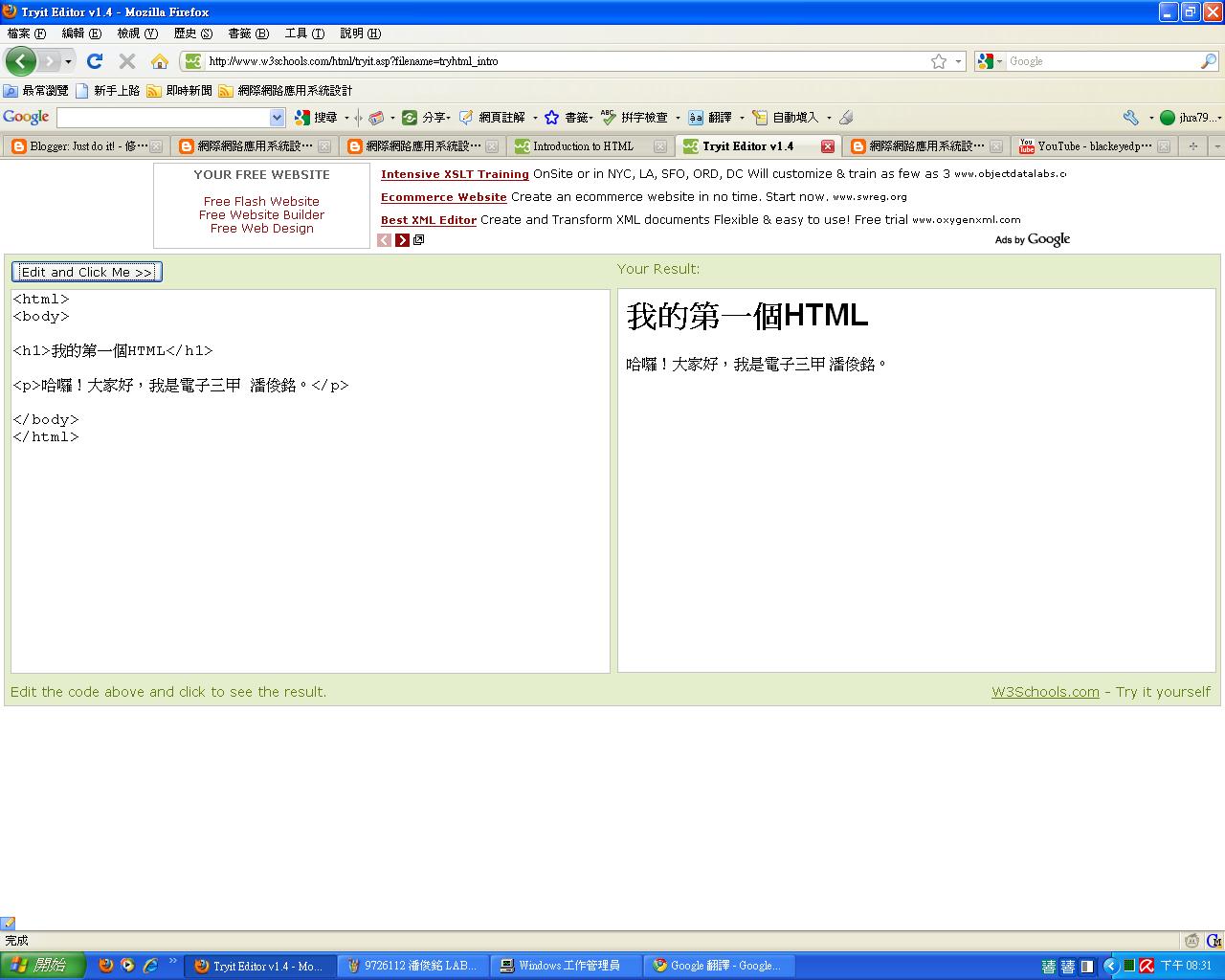
5. Copy and paste the HTML example at Introduction to HTML
將內容複製到記事本內。
將檔案另文存為.html檔,並按右鍵點選內容,將其改成使用firefix開啟。
6. Verify your results on the screen.
雙擊該檔,就可以看到成果囉^^
2010年10月18日 星期一
Lab 18 Comparing browsers
Install Google Browser Google Chrome and Firefox 3.0, try a few websites and compare their performance. For example, youtube, blogspot, msn, and yahoo.
先下載 Google Chrome 和 Firefox 3.0
網路爬文一下,找到了一篇這樣的文章:Google Chrome執行速度快?到底有多快?寫程式來比較看看囉~
我很好奇的開了一下工作管理員,發現
chrome 好像分很多個工作在運作,firefox只有一個在運作,
可是把使用記憶體加一加,發現firefox好肥>"<
先下載 Google Chrome 和 Firefox 3.0
網路爬文一下,找到了一篇這樣的文章:Google Chrome執行速度快?到底有多快?寫程式來比較看看囉~
我很好奇的開了一下工作管理員,發現
chrome 好像分很多個工作在運作,firefox只有一個在運作,
可是把使用記憶體加一加,發現firefox好肥>"<
使用心得:
chrome 速度比較快,在看youtube方面比firefox順暢多了,尤其是在學校,
每當使用firefix要進入youtube看影音的時候,就會跑出
"您好,您可能已關閉 JavaScript,或者 Adobe Flash Player 的版本過舊。"
真的是很@$$%@#$@#@#$
不過使用chrome後,就不會有這種問題了^^
上面說的是針對 Adobe Flash Player 而已啦!
若真的要比的話啦,我覺得chrome給我的感覺比較輕便,不帶壓力。
firefox給我的感覺就有點沉重,可能是因為工作列比chrome多的緣故吧!
2010年10月17日 星期日
Homework 5
1. 依據 What is web accessibility,試針對三種不同障別舉出三種無障礙設計方式,並請探討跨障別設計是否可行?(也就是所謂的通用設計)
(1)視障:使用語音系統,使視障朋友能知道自己目前位於何處(現實或虛擬)。
(2)聽障:使用手語系統,透過程式將語音轉變為手語,讓聽障朋友了解語音內容。
(3)肢障:使用行為辨識系統辨識人的臉部,轉譯成電腦程式,讓機器之道該怎們做。
最近常在新聞上看到,透過腦波就能使義肢行動,好比切蘋果、舉重物。
如果研發出人類腦波行為辨識系統,那麼機器就能幫助人類做很多事了。
2. 網路可不可能增進身心障礙者的便利,請舉例說明?
可以;
對行動不方便的朋友們來說,只需要攜帶一台筆記型電腦就能遨遊世界,
網路除了基本的瀏覽時事功能外,還有即時通訊的功能在,大大提升了這些朋友的視野。
3. 瀏覽器會洩漏使用者的隱私嗎? 為甚麼?
基本上瀏覽器應該是不太會洩漏使用者的隱私,我覺得會洩漏使用者隱私的是網站上面的程式,
好比說cookie,就會將使用者資料記錄下來,若此時又遭有心人士使用時,那就不妙了。
(1)視障:使用語音系統,使視障朋友能知道自己目前位於何處(現實或虛擬)。
(2)聽障:使用手語系統,透過程式將語音轉變為手語,讓聽障朋友了解語音內容。
(3)肢障:使用行為辨識系統辨識人的臉部,轉譯成電腦程式,讓機器之道該怎們做。
最近常在新聞上看到,透過腦波就能使義肢行動,好比切蘋果、舉重物。
如果研發出人類腦波行為辨識系統,那麼機器就能幫助人類做很多事了。
2. 網路可不可能增進身心障礙者的便利,請舉例說明?
可以;
對行動不方便的朋友們來說,只需要攜帶一台筆記型電腦就能遨遊世界,
網路除了基本的瀏覽時事功能外,還有即時通訊的功能在,大大提升了這些朋友的視野。
3. 瀏覽器會洩漏使用者的隱私嗎? 為甚麼?
基本上瀏覽器應該是不太會洩漏使用者的隱私,我覺得會洩漏使用者隱私的是網站上面的程式,
好比說cookie,就會將使用者資料記錄下來,若此時又遭有心人士使用時,那就不妙了。
2010年10月11日 星期一
Lab 17: AccessBar
AccessBar: displays defined accesskeys in a fixed-position bar along the bottom of the window. Added 2005-04-01 (not a joke). Find how many access keys have been defined at
www.ocac.gov.tw www.epa.gov.tw
Continued from the above, use google to find 3 more government sites in Taiwan that enable access keys.
Step.1.點選 AccessBar 安裝腳本。
Step.2.查看新增的腳本。
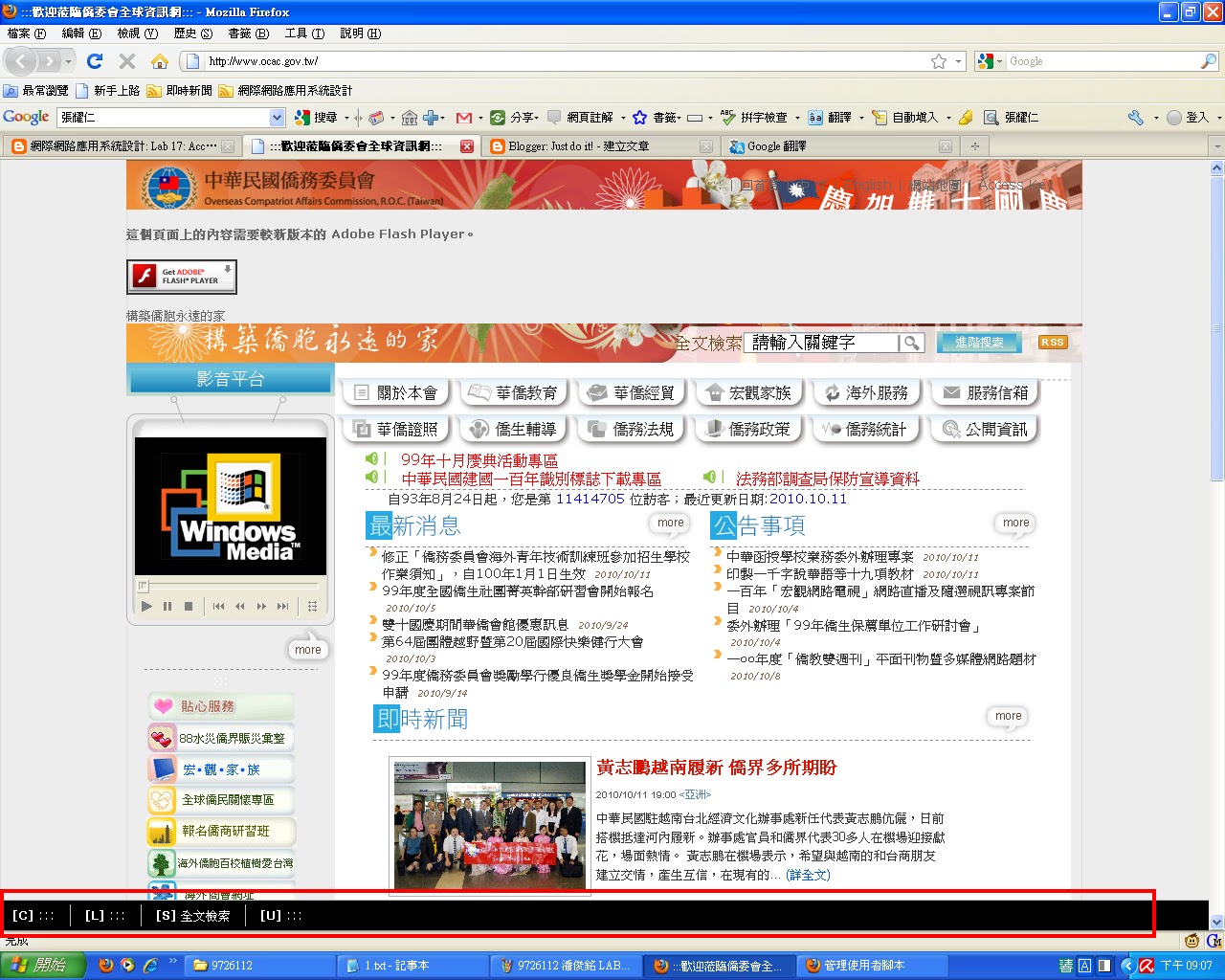
Step.3.查看 www.ocac.gov.tw 可以看到網頁下面多一行黑黑的功能表。
查看 www.epa.gov.tw
查看 行政院
查看 立法院
查看 司法院
www.ocac.gov.tw www.epa.gov.tw
Continued from the above, use google to find 3 more government sites in Taiwan that enable access keys.
Step.1.點選 AccessBar 安裝腳本。
Step.2.查看新增的腳本。
Step.3.查看 www.ocac.gov.tw 可以看到網頁下面多一行黑黑的功能表。
查看 www.epa.gov.tw
查看 行政院
查看 立法院
查看 司法院
Lab 16: Accessibility in GreaseMonkey
- Google Search Keys Numbers the results in a Google search page and you can type the corresponding number to follow the link. Updated: 2005-04-26. more
- Google Access Keys Enables navigation through Google search results.
http://dia.z6i.org/ (中文)
Step.1.先進入Google Search Keys
Step.2.點選Install Search Keys 1.0.1,安裝完成後出現此圖示。
Step.3.進入 Google Access Keys ,點選install
Step.4.點選安裝。
Step.5.查看新增後的腳本。
Step.6.進入搜尋引擎搜尋,發現到每篇文章後面都會有數字。
Lab 15 Clean Language
1. Save the JavaScript file of Clean Language to your desktop. Make changes to the script with self-defined bad words. To do this, save the JavaScript on your desk top. Use Notepad editor to make changes. Install the modified script as Greasemonkey.
2. Use Google to search webpages that contains some bad words.
3. Try whether the filtering take effects.
Step.1.先進入Clean Language
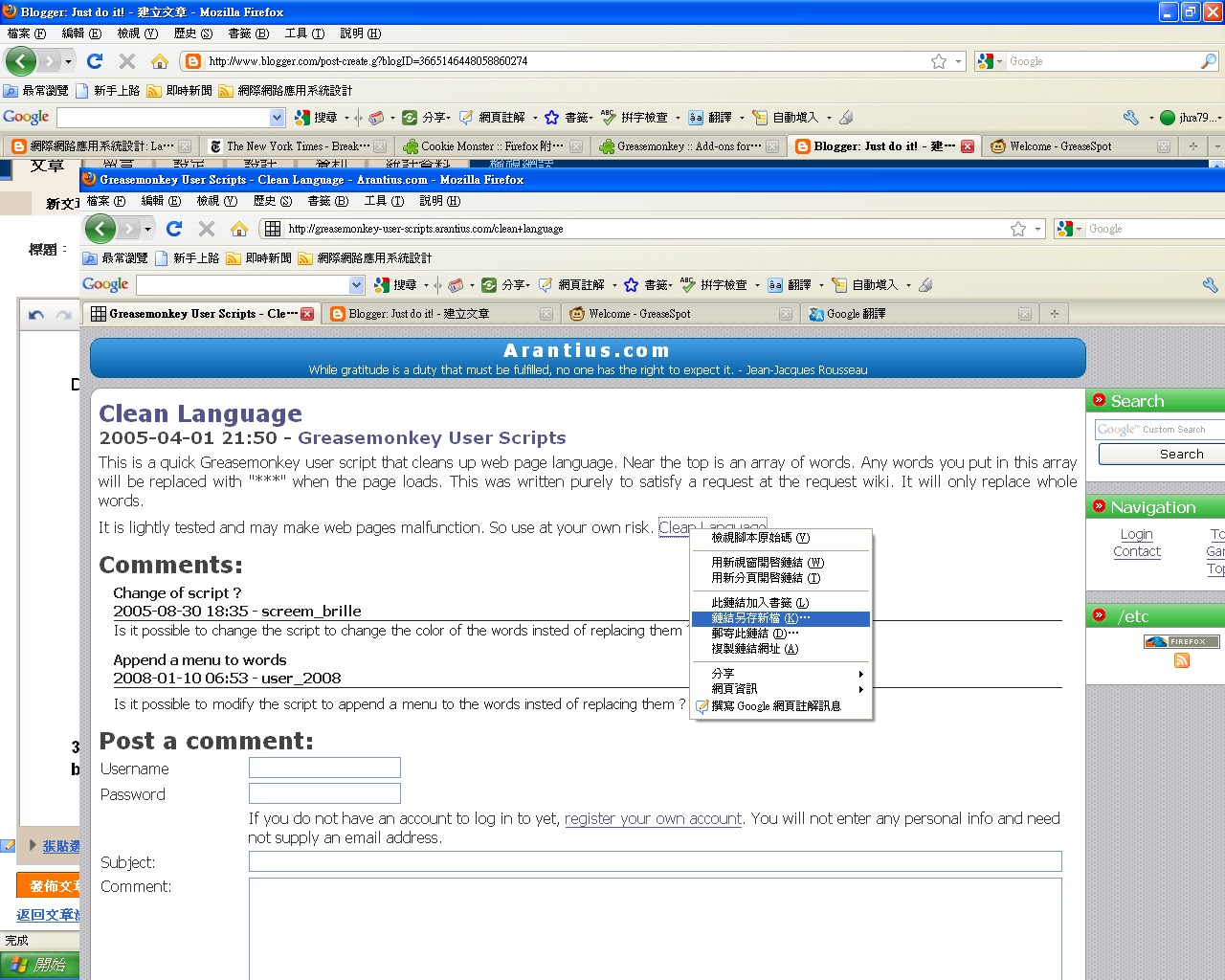
Step.2.在 Clean Language按右鍵另存新檔
Step.3.存在桌面
Step.4.對檔案按右鍵"編輯"
Step.4.加入想要過濾的文字(英文)
Step.5.改寫完後存檔,直接將檔案拉至Firefox,會出現一個視窗,選取安裝。
Step.6.進入Firefox的工具→Greasemonkey→管理腳本,可以看到新增的檔案。
Step.7.當未開啟Greasemonkey,輸入TMD搜尋時,TMD正常顯示
2. Use Google to search webpages that contains some bad words.
3. Try whether the filtering take effects.
Step.1.先進入Clean Language
Step.2.在 Clean Language按右鍵另存新檔
Step.3.存在桌面
Step.4.對檔案按右鍵"編輯"
Step.4.加入想要過濾的文字(英文)
Step.5.改寫完後存檔,直接將檔案拉至Firefox,會出現一個視窗,選取安裝。
Step.6.進入Firefox的工具→Greasemonkey→管理腳本,可以看到新增的檔案。
Step.7.當未開啟Greasemonkey,輸入TMD搜尋時,TMD正常顯示
Step.8. 當開啟Greasemonkey,輸入TMD搜尋時,TMD顯示為***
Lab 14 Greasemonkey
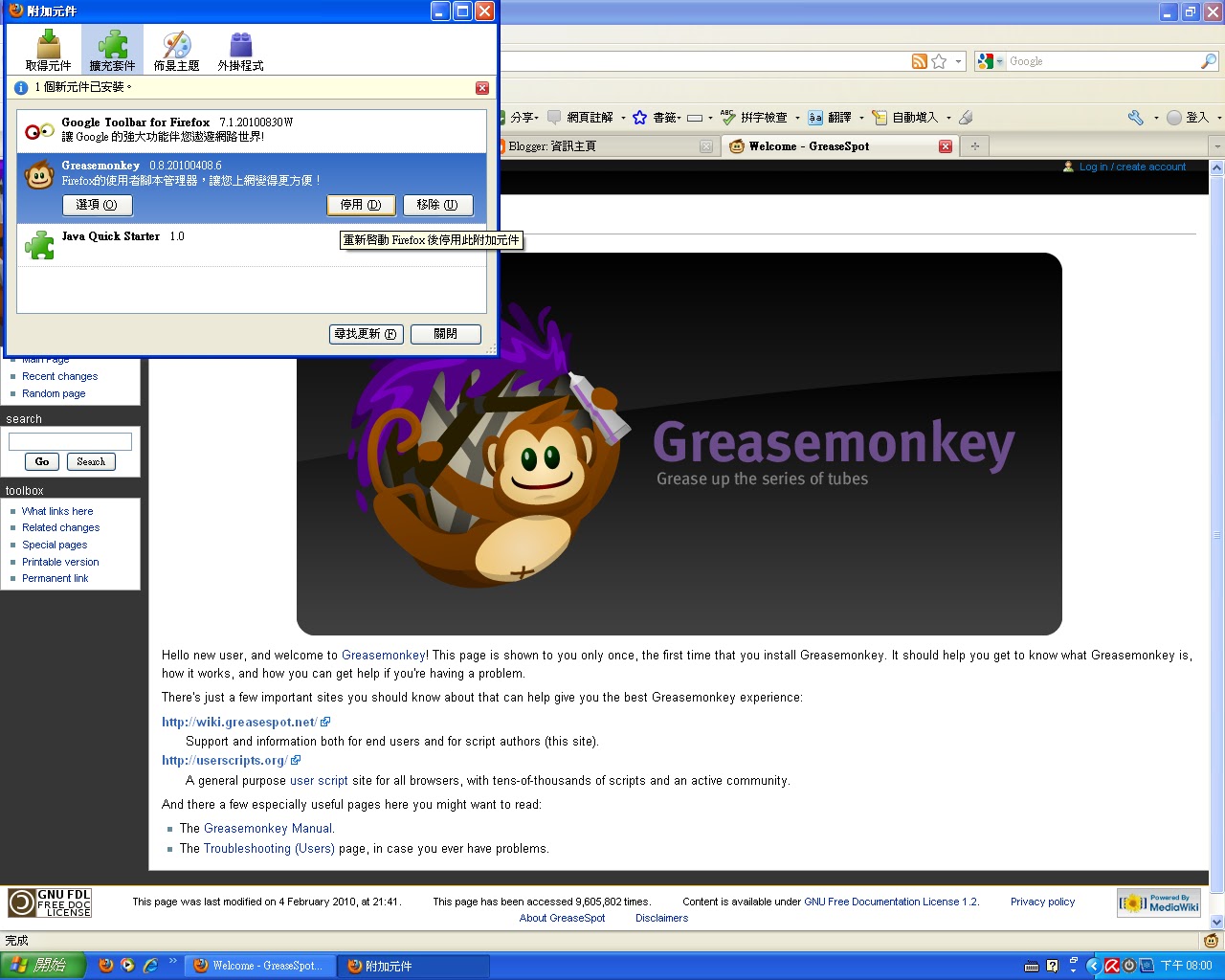
Install Greasemonkey 0.8. Check the lower right corner of your Firefox and you should find a monkey at the right. Note that you must run the
安裝Greasemonkey 0.8.
安裝完成2.Cookie Monster - Show cookie contents: Shows the contents of the current page cookie. Just mouse over the "Cookie" text on the bottom left. Check what cookies http://www.nytimes.com writes to you. Does our class blog use cookie or not? Does Google use cookie?安裝 Cookie Monster安裝完成Check what cookies http://www.nytimes.com writes to you.Does our class blog use cookie or not? Yes.Does Google use cookie? Yes.3.You can turn off Greasemonkey by clicking on the monkey face at the URL bar of Firefox. Click again to activate Greasemonkey.
訂閱:
文章 (Atom)