部落格與相本的結合運用。透過部落格分享你的照片集,省去傳送大量照片的缺點,自由書寫照片中的故事。
Create a slide show of your album. Embed the album in your blog.
Hint: 挪威奧斯陸之行
album
這些是我上課寫作業時用的圖片,想要知道這片的故事嗎?
歡迎慢慢逛我的網誌唷^^
2010年11月1日 星期一

Lab 24: Mash-up 1 (Publish)
1. Upload a sample ppt to Google Docs.
2. Publish the uploaded ppt.
3. Embed the online ppt to your blog.
The reason to do so is that the readers don't have to have ppt to view your presentation. For example, some users work with Linux or Unix, and others work with MacOS. They will appreciate you for doing so.
範例:
如何活用 Gmail 工作坊
2. Publish the uploaded ppt.
3. Embed the online ppt to your blog.
The reason to do so is that the readers don't have to have ppt to view your presentation. For example, some users work with Linux or Unix, and others work with MacOS. They will appreciate you for doing so.
範例:
如何活用 Gmail 工作坊
2010年10月25日 星期一
協作平台
使用Google Sites 架設網站,主題可以環繞你所參加的社團, 你的家鄉或社區, 你的分享與關心, 你的朋友, 高中同學, 電影, 音樂, 學業, 生涯,
評分標準
成品繳交日期 11/01/2010
-----------------------------------------------------------------------------
評分標準
- 創新(20%)
- 資訊完整性 (30%)
- 美學 (25%)
- 網站邏輯架構 (15%)
- 線上服務功能 (10%)
成品繳交日期 11/01/2010
-----------------------------------------------------------------------------
我的天空網站建議書草案
25.10.2010
定位
讓我周遭的朋友、同學能夠對我有更進一步的認識。
也能將我所學習的東西,運用在生活上,幫助大家。
目標
1.與朋友、同學分享我的生活點滴。
2.讓中原大學的同學能位自己權益發聲。
背景
科技日益發達,部落格已是大眾互動最重要的平台,但太多部落格不免讓人覺得煩雜,因此建立一個整合平台,將個人擁有的網路資源放在一個網站上,更利於他人認識自己,也能幫助同學免於學生權益受損。
功能
1.認識:讓大家認識我參與的社團、組織、生活。
2.連結:將分散於網路各地,跟我有關的網站,蒐集起來。
3.搜尋:可利用搜尋功能,搜尋站內站外的資訊。
4.幫助:藉由現在參與的組織,幫助同學捍衛自身的學生權益。
5.宣傳:讓我的家鄉、我的社團、我的組織能更廣為人知。
25.10.2010
定位
讓我周遭的朋友、同學能夠對我有更進一步的認識。
也能將我所學習的東西,運用在生活上,幫助大家。
目標
1.與朋友、同學分享我的生活點滴。
2.讓中原大學的同學能位自己權益發聲。
背景
科技日益發達,部落格已是大眾互動最重要的平台,但太多部落格不免讓人覺得煩雜,因此建立一個整合平台,將個人擁有的網路資源放在一個網站上,更利於他人認識自己,也能幫助同學免於學生權益受損。
功能
1.認識:讓大家認識我參與的社團、組織、生活。
2.連結:將分散於網路各地,跟我有關的網站,蒐集起來。
3.搜尋:可利用搜尋功能,搜尋站內站外的資訊。
4.幫助:藉由現在參與的組織,幫助同學捍衛自身的學生權益。
5.宣傳:讓我的家鄉、我的社團、我的組織能更廣為人知。
Lab 23 Making web pages accessible
1. Use Firefox Accessibility Extension to identify the accessibility failures and warnings in http://google.com
2. Fix the failures you found.
使用 Firefox Accessibility Extension 看 google首頁的結果

將google首頁存檔,使用kompozer-0.7.10-win32編輯

開啟存檔後的google網頁,再執行 Firefox Accessibility
Extension 可以看到

比較編輯前後,可以看到Fail消失了。
2. Fix the failures you found.
使用 Firefox Accessibility Extension 看 google首頁的結果

將google首頁存檔,使用kompozer-0.7.10-win32編輯

開啟存檔後的google網頁,再執行 Firefox Accessibility
Extension 可以看到

比較編輯前後,可以看到Fail消失了。
Lab 22 Firefox Accessibility Extension
Use Firefox Accessibility Extension to check the accessibility of three sites that you visit most.
Report the summary of all the errors and warnings for each site.

自動控制社協作平台

雅虎奇摩
 中原大學

Report the summary of all the errors and warnings for each site.

自動控制社協作平台

雅虎奇摩


2010年10月18日 星期一
Lab 21: Making images accessible
1. Study what an ALT tag is.

2. Use KompoZer to edit the following homepage
at http://bloggercamp.blogspot.com/2007/01/2007.html
You can copy and paste the content to your KompoZer.

3. Save your editings and preview your webpage using Firefox
4. Make the webpage accessible by
adding ALT text to the images.
執行kompozer.exe


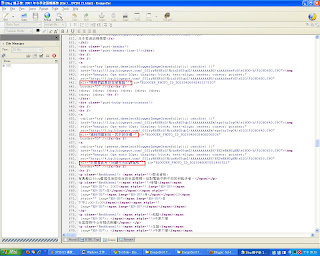
5. Go to the Firefox Add-ons site for Firefox Accessibility Extension
6. Click the "Install now" button on the add-ons website
下載 Firefox Add-ons site for Firefox Accessibility Extension

7. Check whether you can see the ALT text for the images by selecting the "Show Text Equivalent" function.
使用Show Text Equivalent" function前
 使用Show Text Equivalent" function後
 發現圖不見了,只剩下文字。

2. Use KompoZer to edit the following homepage
at http://bloggercamp.blogspot.com/2007/01/2007.html
You can copy and paste the content to your KompoZer.

3. Save your editings and preview your webpage using Firefox
4. Make the webpage accessible by
adding ALT text to the images.
執行kompozer.exe

載入http://bloggercamp.blogspot.com/2007/01/2007.html

在source裡面的alt="加入文字"

5. Go to the Firefox Add-ons site for Firefox Accessibility Extension
6. Click the "Install now" button on the add-ons website
下載 Firefox Add-ons site for Firefox Accessibility Extension

7. Check whether you can see the ALT text for the images by selecting the "Show Text Equivalent" function.
使用Show Text Equivalent" function前


Lab 20 More on HTML
Headings
1. Copy and paste the Headings example athttp://www.w3schools.com/html/html_primary.asp

2. Enter http://www.w3schools.com/html/tryit.asp?filename=tryhtml_basic
3. What kind of effects can you see?
h1~h6代表的字體大小,本圖是由h1寫到h6,字體大小由大變化到小。

Lists
4. Copy and paste the Headings example athttp://www.w3schools.com/html/html_lists.asp

5. Enter http://www.w3schools.com/html/tryit.asp?filename=tryhtml_basic
6. What kind of effects can you see?

1. Copy and paste the Headings example athttp://www.w3schools.com/html/html_primary.asp

2. Enter http://www.w3schools.com/html/tryit.asp?filename=tryhtml_basic
3. What kind of effects can you see?
h1~h6代表的字體大小,本圖是由h1寫到h6,字體大小由大變化到小。


Lists
4. Copy and paste the Headings example athttp://www.w3schools.com/html/html_lists.asp

5. Enter http://www.w3schools.com/html/tryit.asp?filename=tryhtml_basic
6. What kind of effects can you see?
目前看到有3種list,分別為HTML Unordered Lists、HTML Ordered Lists、
HTML Definition Lists。

訂閱:
文章 (Atom)